SMS Consent (Opt-In) Process
OnCue provides SMS notifications related to crew scheduling, assignments, and reminders. Users must explicitly opt in to receive SMS messages during account onboarding.
How Users Opt In
Step 1: Enter Information
The user logs in and completes onboarding by entering their contact details, including their mobile phone number.
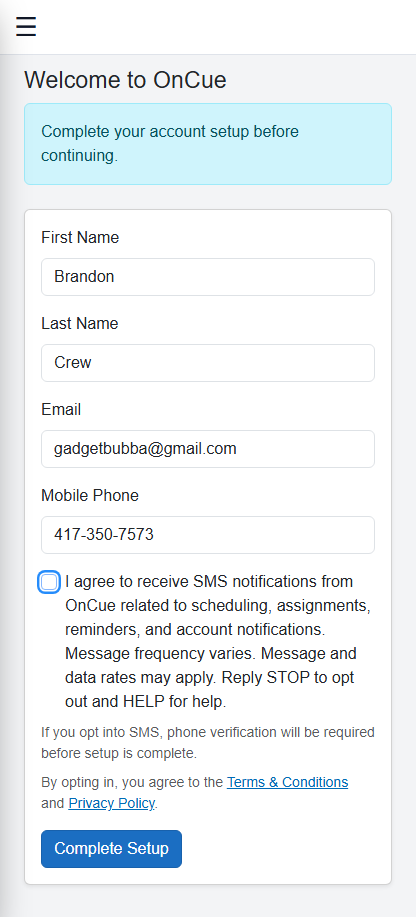
Step 2: Explicit SMS Consent
The user must check a consent box agreeing to receive SMS notifications. The checkbox is not pre-selected and requires manual user action.
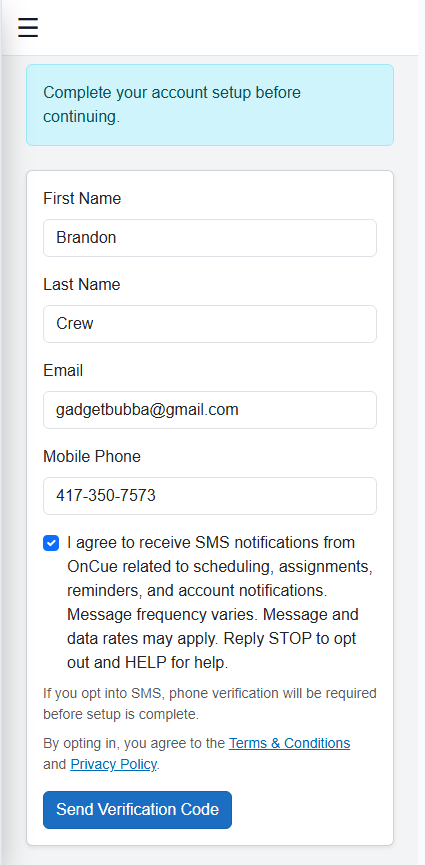
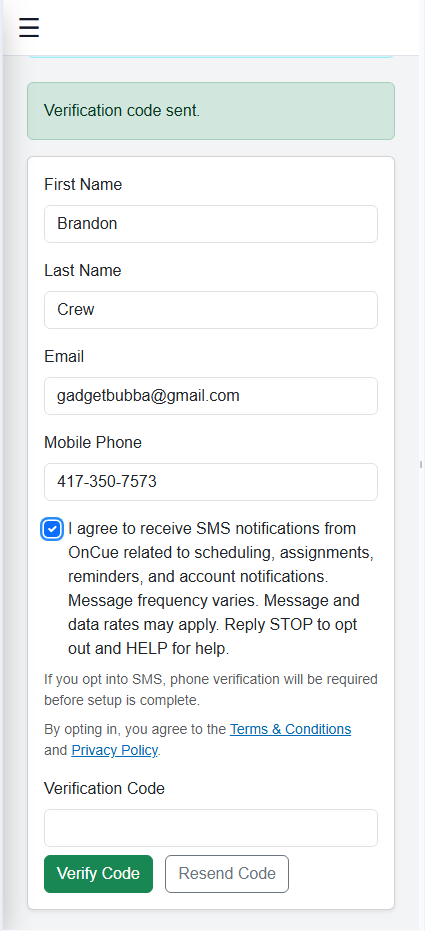
Step 3: Phone Verification
After opting in, the user must verify their phone number using a one-time verification code before SMS messaging is enabled.
Message Details
SMS messages sent by OnCue are strictly related to scheduling, assignments, and work notifications.
- Message frequency varies based on assignments and schedule changes
- Message and data rates may apply
- Users can opt out at any time by replying STOP
Terms and Conditions:
https://www.oncueschedule.com/terms
Privacy Policy:
https://www.oncueschedule.com/privacy